Accept Payments with Nexzoneo Pay
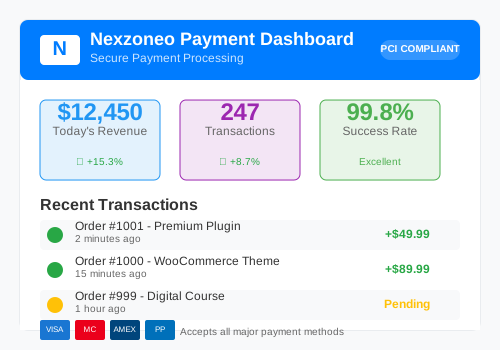
Seamlessly integrate payments into your WooCommerce store with our secure and reliable payment solution.
Download Now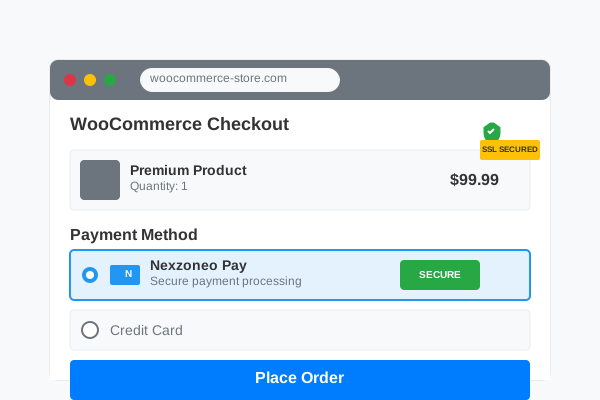
Seamlessly integrate payments into your WooCommerce store with our secure and reliable payment solution.
Download Now
Our payment solution provides a secure and seamless checkout experience for your customers.
Enterprise-grade security for all payment processing
Simple setup process with your existing platform
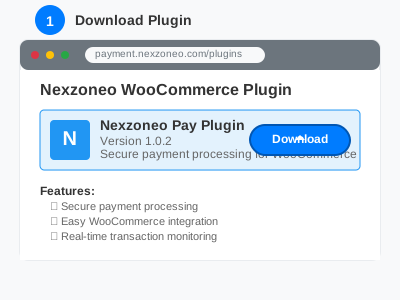
Download the latest Nexzoneo Pay plugin for WooCommerce. The plugin file is provided as a .zip file ready for installation.
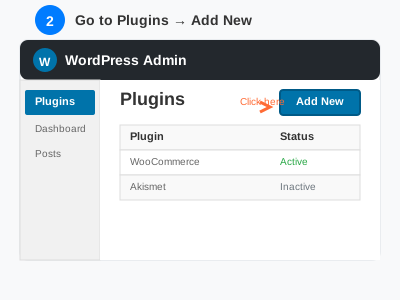
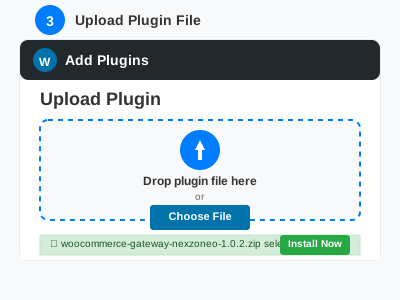
Go to your WordPress admin → Plugins → Add New → Upload Plugin. Select the downloaded .zip file and click "Install Now", then activate the plugin.
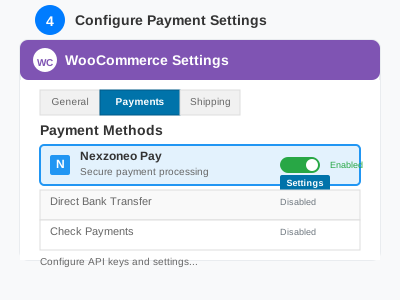
Navigate to WooCommerce → Settings → Payments. Enable Nexzoneo Pay and configure your API keys and security settings to start accepting payments.
Latest stable version: 1.0.47 Latest
Branded post-payment experience - a clean processing screen sends customers straight to the correct result page.
Download v1.0.47 NowThe "Processing your payment" screen now uses the Nexzoneo Pay brand look, consistent in light and dark browsers.
Latest stable release